


Marketing automation for agencies
Ten clients, ten voices, ten content calendars. Maggie, your AI CMO, keeps each brand separate, writes every post in that client's voice and publishes once it's approved.
Free to start · No credit card · 30 free posts
Used by 600+ users and trusted by teams at
aeglesriphal.com
moonlakespa.com
shop.theteagroup.com
clo100.com
logtrics.io
mymorez.com
nextidal.com
otisapp.com
storaitelling.com
theheatpumps.co.uk
web-translations.com
exposeai.tech
orielipo.com
whitelabelcrowd.fund
elliptic.co
med.moonlakespa.com
netdex.co.il
orawellness.uk
reenest.com
syngage.ai
thepenthouseliving.com
zengolf.studio
imaintain.uk
rebuildingsociety.com
aurasocial.world
goaimex.com
moneyparents.com
newgenrenewables.uk
osmosisai.co
saunders.ac
teeza.app
thursdayclub.com
Why agency content work eats the margin
Clients pay for results. Most of your team's week goes on the writing, resizing and scheduling in between.
Every client sounds the same by Friday
The bakery, the law firm and the software client all get posts from the same tired writer. Keeping each voice distinct takes more briefing time than you can bill.
Retainers don't cover the hours
Blog posts, LinkedIn, Google Business updates and pictures for every client, every week. The retainer was priced for half of that.
Approvals live in email threads
Drafts sit in someone's inbox for a week, then come back with one comment. Meanwhile the calendar slips and the client asks why nothing went out.
Too many logins, too many tabs
A different CMS, a different set of social accounts and a different scheduler for each client. One wrong tab and a post goes out on the wrong brand.

Monday's client list. Friday's posts, all out, all on brand.
It's Monday, you have six clients due content this week, and your one writer is off sick.
You open the cmo.so web app. Every client website is there, each with its own brand profile: the dental practice's calm, reassuring voice, the craft brewery's jokes, the accountancy firm's careful tone. Maggie has already drafted each client's week from their own profile, with pictures in their own look.
On Tuesday you go client by client. The accountants' posts were checked by Content Policy Guard, and one is held as a draft with a suggested rewrite; you take the rewrite. The brewery has been on autopilot for months, so its posts are already scheduled. For the new client you still approve every post yourself.
By Friday every client's posts are live on their website and their channels, each reported back with its link, and your writer comes back to a clear calendar instead of a backlog. Search Console for each client shows what their posts brought in, ready for the monthly report.
AI marketing for agencies, one brand at a time
Each of those problems has an answer that runs for every client at once, without mixing them up.
A separate brand profile for every client
Add each client's website and Maggie builds its own brand profile: products and services, audience, unique selling points, SWOT, competitors, calls to action and voice. Every post for that client starts from it.
Brand profileEach client's own voice and look
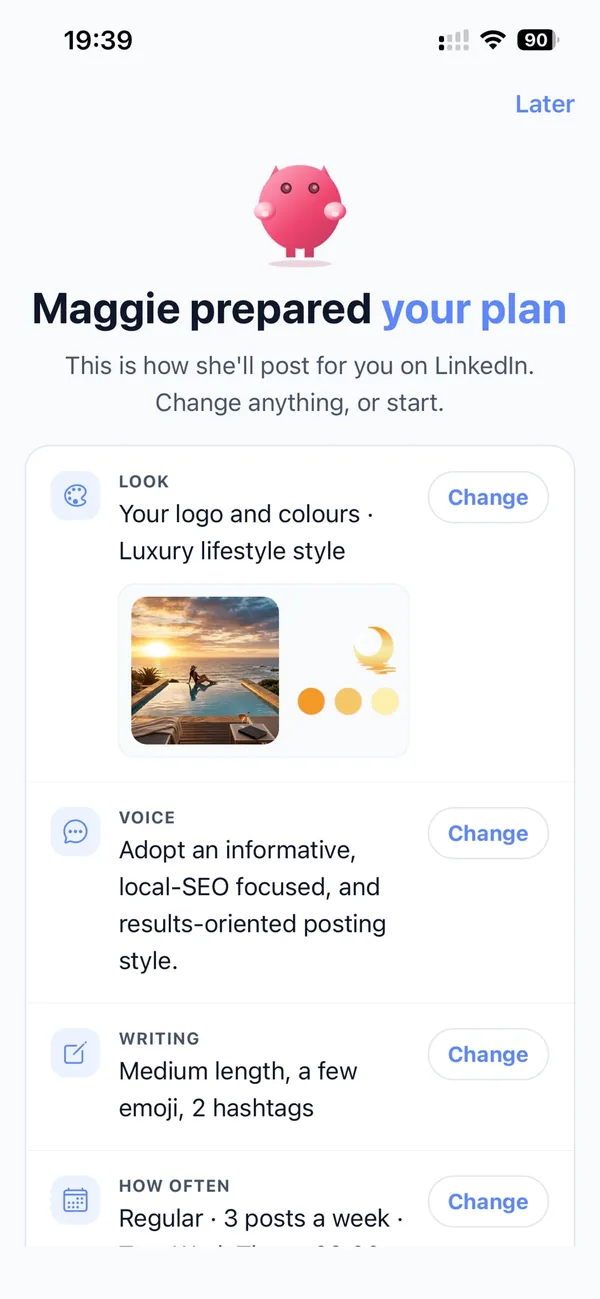
For each client and channel Maggie picks a post template, a voice, a picture look and an image style, so the law firm never sounds like the café and every picture matches that client's colours.
Voices and picture looksApprovals set per client, per channel
Keep a new client on approve-every-post while a long-standing one runs on autopilot. Any channel for any client can be paused at any time, and by default nothing goes out until it's approved.
Approvals and autopilotRule checks for regulated clients
Content Policy Guard checks posts against financial, medical, insurance, legal or education rules, or rules you write yourself, and holds a risky post as a draft with a suggested rewrite. These are AI suggestions, not compliance advice, so a person should still review.
Content Policy GuardEvery client's website and channels connected
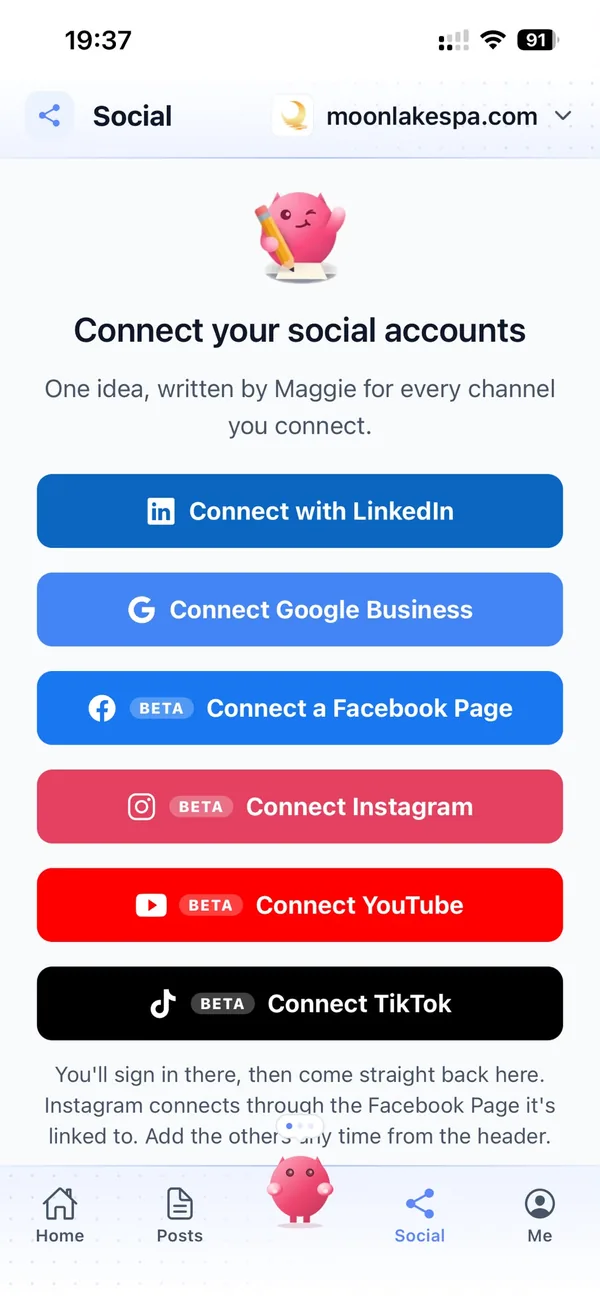
Publish to WordPress, Shopify, Wix, Webflow or any site through the cmo.so API, and to LinkedIn and Google Business, with Facebook, Instagram, YouTube and TikTok in beta. Channels connect through each platform's official sign-in, so cmo.so never sees passwords.
Websites and channelsResults for the monthly report
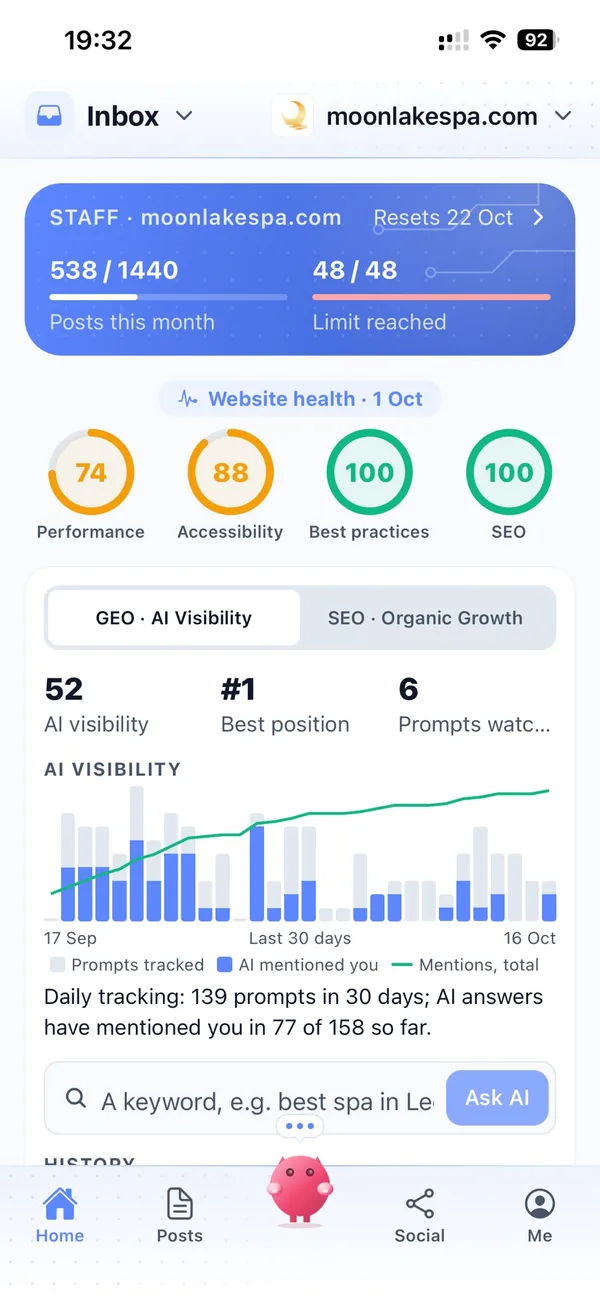
Connect each client's Search Console and Maggie plans from their real search data. AI visibility shows how ChatGPT and Google's AI describe each client's business.
Search Console and AI visibilityYour marketing team, in your pocket
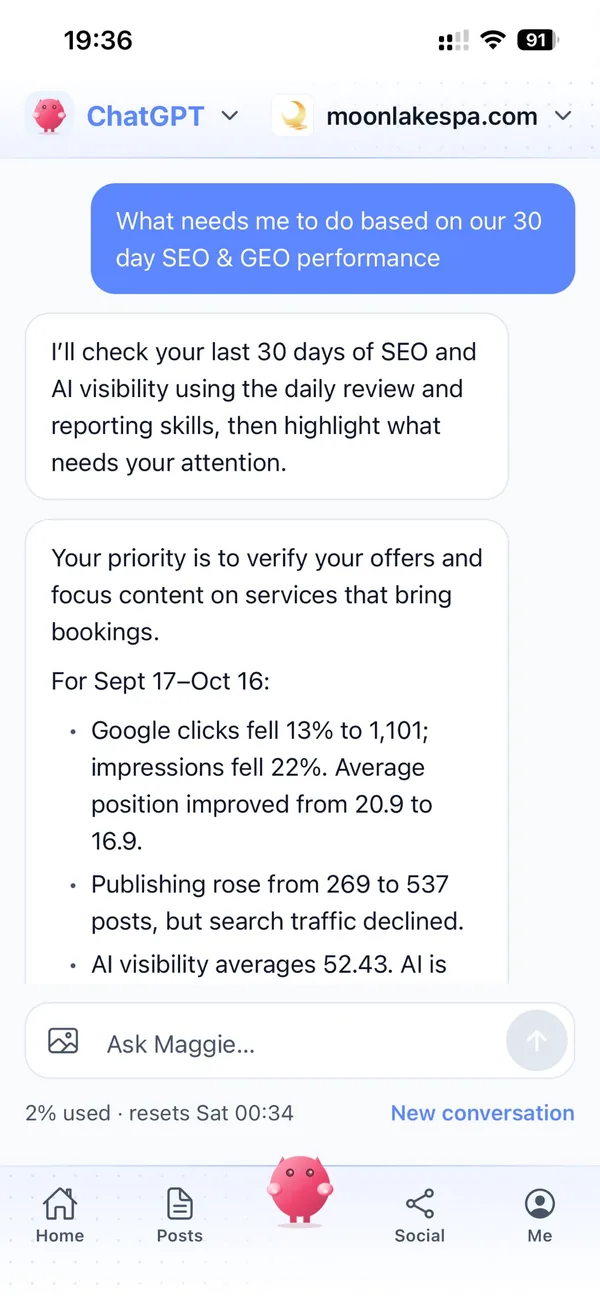
Real screens from the cmo.so app on iPhone.
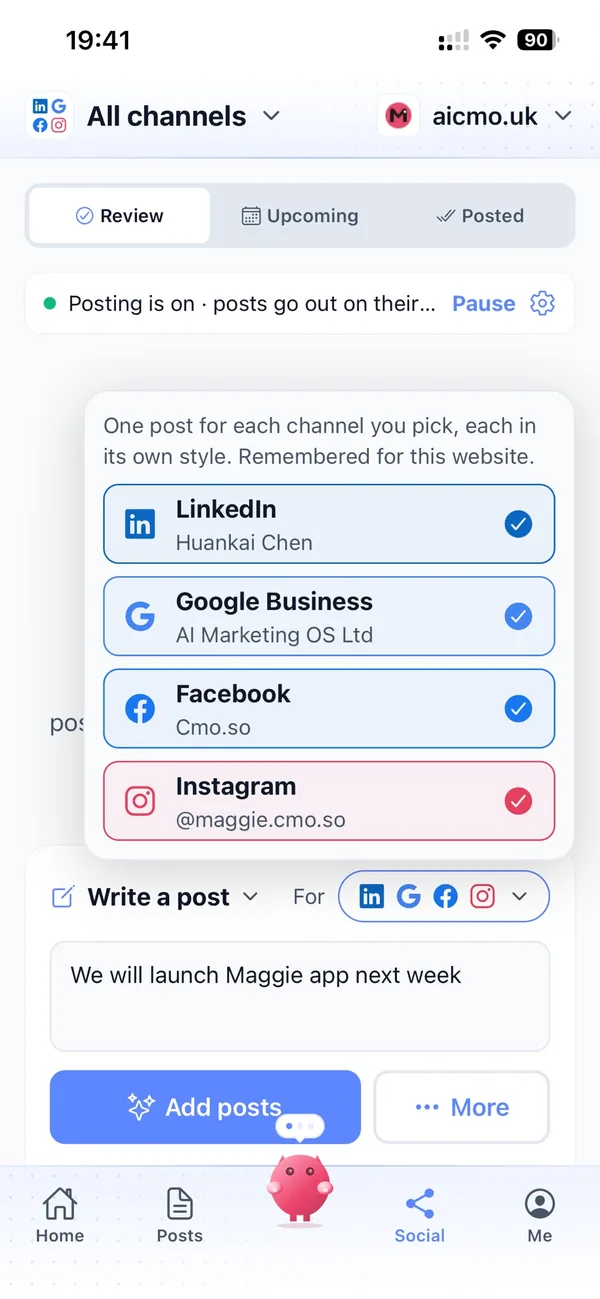
From your client list to every client's first posts in four steps
Add your client websites
Enter each client's website. Maggie researches each one and drafts its own brand profile.
Check each brand
Correct the voice, audience and offers for each client. Their posts build on it.
Connect and set approvals
Connect each client's website and channels, then choose per channel: approve every post, or autopilot.
Let it run
Posts go out on each client's schedule and come back with their links. You see every client from one account.
Why not just…
The usual ways agencies try to scale content across clients, and where each one runs out.
…hire another content writer?
A full-time marketing hire in the UK costs around £3,000 a month, and one writer still can't hold ten voices at once. Maggie keeps a separate brand profile for every client.
…white-label a content farm?
Outsourced posts come back generic and need rewriting before the client sees them. Maggie writes from each client's own research, voice and competitors.
…stack a scheduler on top of ChatGPT?
You still brief the AI per client, make the pictures, paste everything into the scheduler and chase approvals by email. Maggie runs the loop from research to published link, client by client.
…use freelancers per client?
Freelance social media management runs around £800 a month per client, and quality depends on who's free that week. Maggie writes every week for every client, in the same voice each time.
Cut the £5,900/mo marketing bill to £15/mo
Everything a marketing team does, done by Maggie.
| What needs doing | Without cmo.so | With cmo.so |
|---|---|---|
| Full-time marketing hire | £3,000/mo | Included |
| SEO and AI search (GEO) agency | £1,000/mo | Included |
| Content writer, AI-assisted | £500/mo | Included |
| Social media manager, freelance | £800/mo | Included |
| Designed pictures for every post | £300/mo | Included |
| SEO and GEO softwareRank tracking, site audits, AI visibility | £250/mo | Included |
| AI writing and image tools | £50/mo | Included |
| Working hours | Office hours | 24/7 |
| Total per month | £5,900+ | From £15/mo |
Typical UK costs for a small business in 2026, with AI already cutting freelance rates. Estimates only; your own quotes will vary.
- 5 social posts, 30 once verified
- 15 Maggie messages a day
- Upgrade any time
- 12 posts a day
- 150 Maggie messages a day
- All channels
- 96 posts a day
- 1,000 Maggie messages a day
- All channels
Per website, billed monthly. Blog and social posts share one allowance; your best plan sets how much you can talk to Maggie across all your websites.
Marketing automation for agencies: your questions
Still unsure?
What is marketing automation for agencies?
Marketing automation for agencies is software that does the repeating content work for many clients at once: researching each brand, writing blog and social posts, making pictures and publishing on each client's schedule.
With cmo.so, Maggie does this for every client website you add, each from its own brand profile, and nothing goes out until it's approved.
Can I manage several client websites from one cmo.so account?
Yes. You can add every client website to one cmo.so account and work on all of them in the web app at app.cmo.so, the dashboard at ai.cmo.so or the iPhone app (beta).
Each website keeps its own brand profile, channels, schedule and approval settings, so clients never mix.
Will each client keep its own brand voice?
Yes. Every client website gets its own brand profile with its own voice, audience and offers, and Maggie picks a voice, post template and picture look per client and per channel. You can edit any profile or post, and she learns from your changes.
Which plan is best for an agency?
Plans are per website and billed monthly, so each client website can be on the plan that fits it, from Air at £15 a month for two posts a day upwards.
Elite, at £195 a month with 96 posts a day, is the plan made for agencies and many brands. Founding members get lower prices for good until 1 January 2027, and you can cancel any time.
How do approvals work across different clients?
Approvals are set per channel, so each client can have its own rules. A new client can stay on approve-every-post while a client you trust runs on autopilot, and any channel can be paused at any time. By default, nothing goes out until it's approved.
Can cmo.so help with clients in regulated industries?
Yes, with care. Content Policy Guard checks posts against financial, medical, insurance, legal or education rules, or rules you set, and holds a post that may break them as a draft with a suggested rewrite.
These are AI suggestions, not legal or compliance advice, so a person should still review posts for regulated clients.
How can an agency deliver more client content without more staff?
An agency can deliver more client content without adding staff by automating the writing, pictures and publishing, and spending its people's time on strategy and client relationships instead.
Maggie handles the weekly posts for every client, and Search Console in cmo.so shows what each client's posts bring in.
What happens to our clients' data?
cmo.so never sells or rents your data. Search Console data is only used to show a website's own results and plan its content, never for advertising or to train AI models, and social channels connect through each platform's official sign-in, so cmo.so never sees passwords.
Give every client a marketing team
Enter your first client's website. Their brand profile and first week of posts are ready in minutes.
- Free plan, no card needed
- You approve every post
- Cancel any time